
Choosing a VSN Chassis
Last updated
Start from channel count, not from budget. Count every capture card and every graphics card your wall will need on day one, then add at least one or two spare slots for future growth — video walls almost always grow.
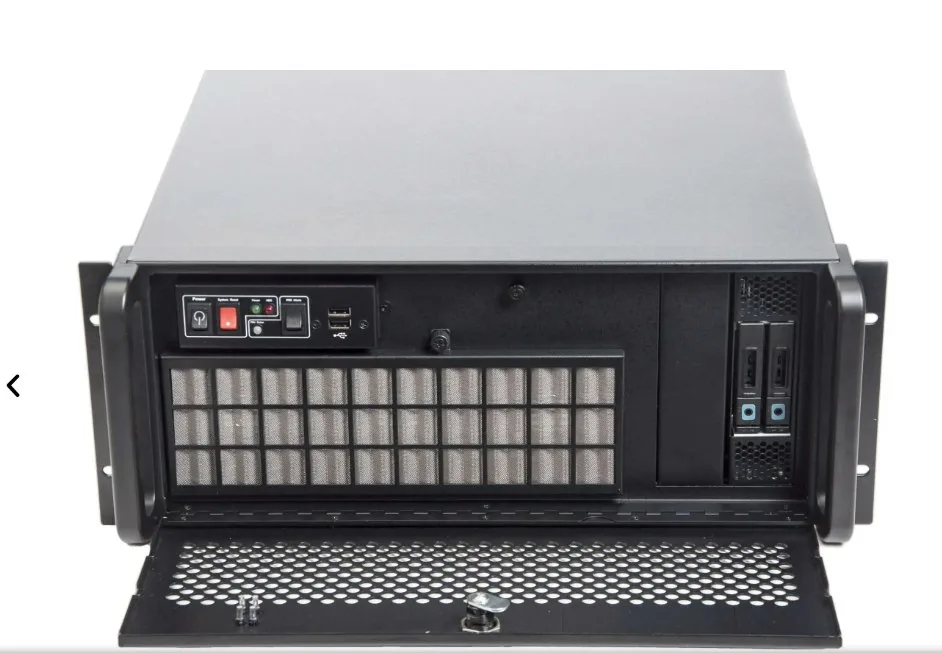
If that total comfortably fits in 5 slots, the 5-slot Xtreme-VSNV3 (available in i5, i7, i9 or Single Xeon configurations) is the more cost-effective choice and takes up less rack space. Once you're past 5 and heading toward 9 or 10, go straight to the 11-slot Xtreme-VSNV3 (i7, i9 or Single Xeon) rather than planning to add an expansion chassis immediately — it's simpler to spec once.
The Xtreme-VSN1192 sits on a different axis entirely — it's the previous-generation platform (dual Xeon E5-2618L v3, Windows 10 LTSC only), kept in the range specifically for its 128GB memory ceiling, which is higher than the current VSNV3's Xeon tier. Specify it only where that memory headroom is a real, stated requirement, or where you're extending an existing VSN1192 estate — for any new deployment without that specific driver, the current-generation VSNV3 is the better default, and it needs a different expansion chassis (VSN1100X, not the current VSNV3 Expansion Chassis) if the project grows.
Still unsure? Build My System will total up your slot requirement automatically as you add cards, and warn you if you've overfilled the chassis you picked.