
Wall Designer
Video wall layout planning tool
- ✓Free download for Windows and Mac OS
- ✓Built-in monitor database, mix manufacturers freely
- ✓Automatic controller configuration and EDID management
- ✓Downscaling with configurable border colour
- ✓Printable design schematics in mm or inches
- ✓Compatible with the Xtreme-FX4, Xtreme-FX4SDI and Xtreme-HX4 range
About This Product
Wall Designer is the perfect solution for creating and managing an entire display project, working seamlessly with EMS's 4fx, 4fx-SDI and 4Hx multi-display controllers. It lets project builders easily design complex displays of all sizes and configurations, available as a free download for Windows and Mac OS.
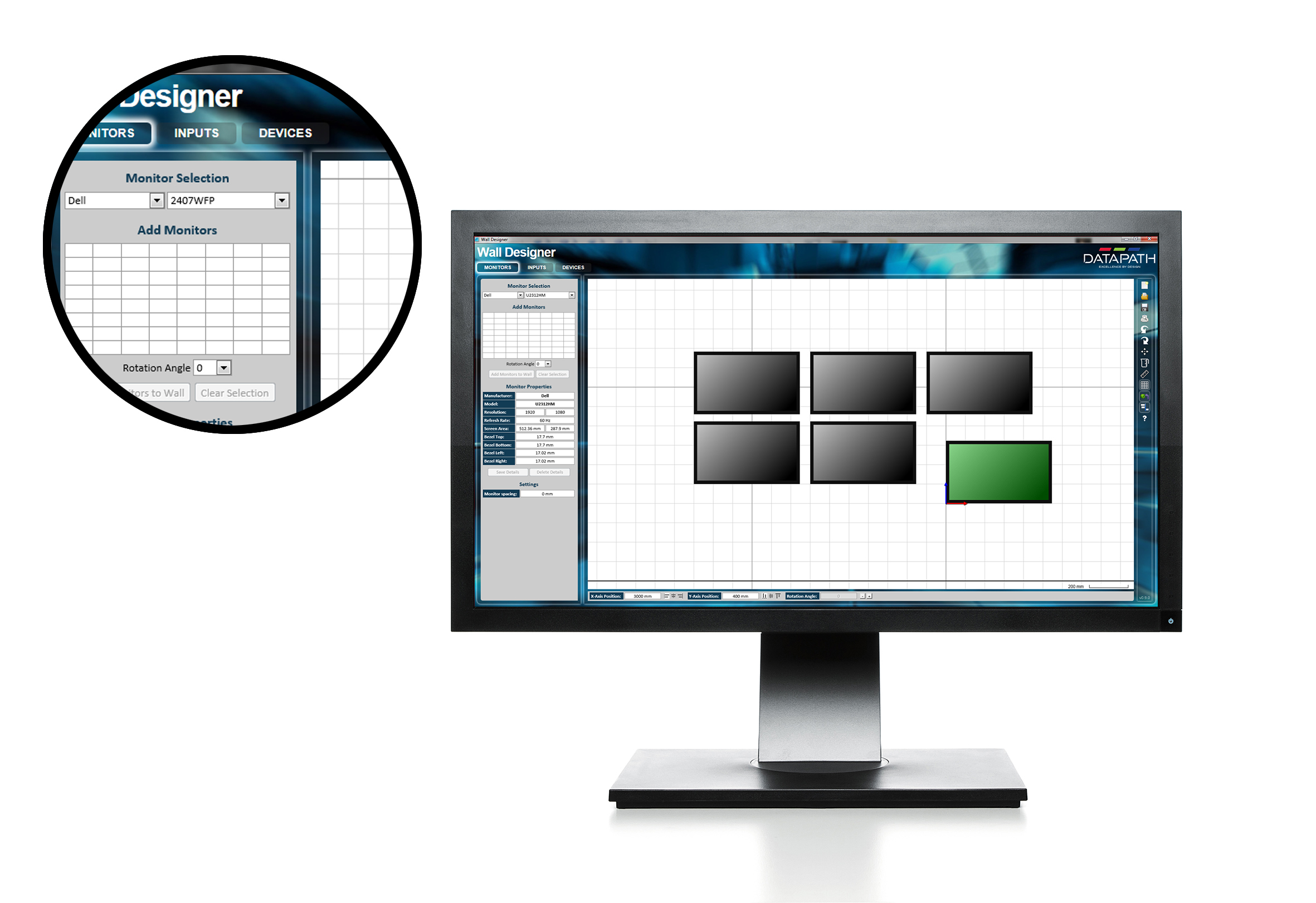
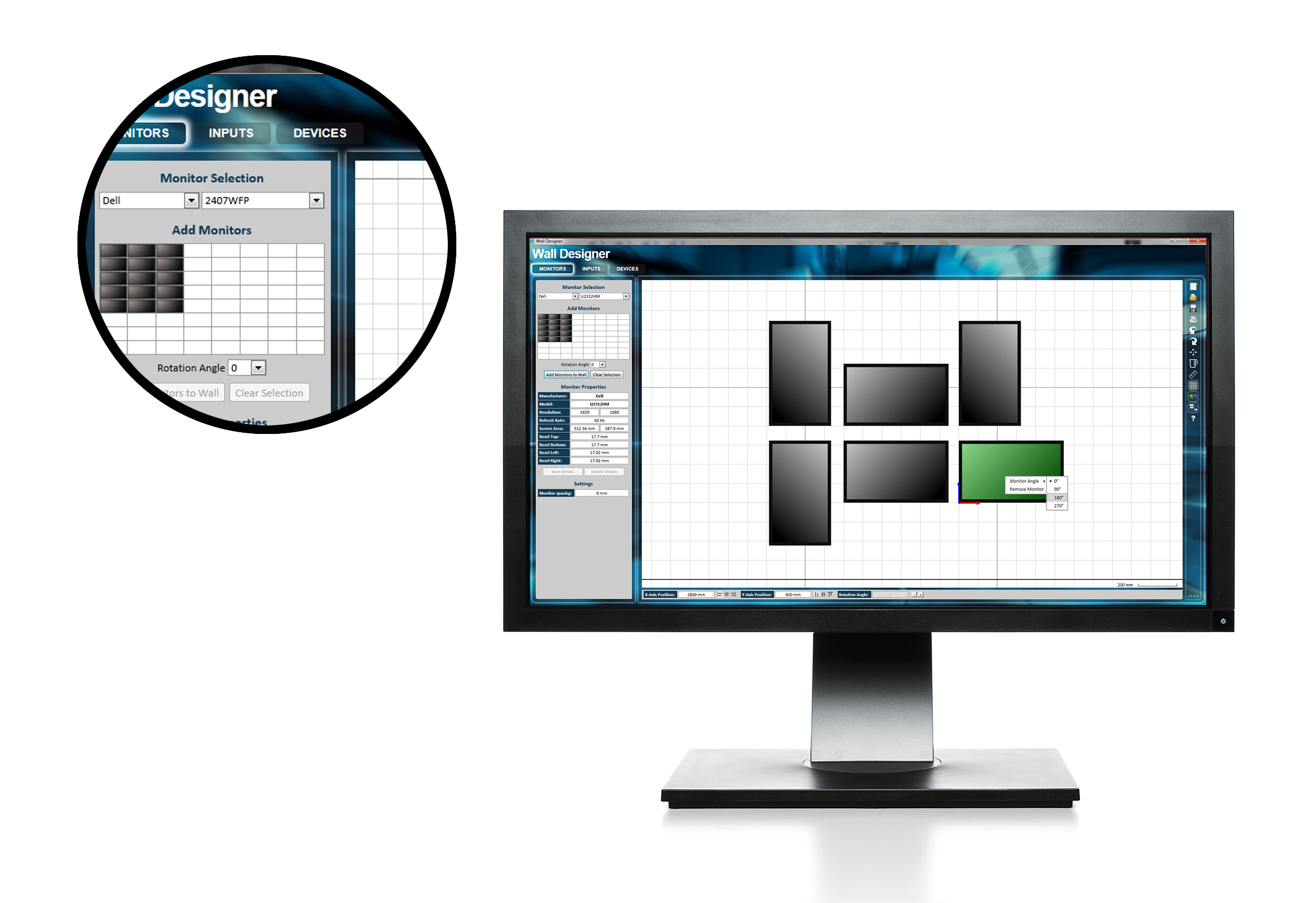
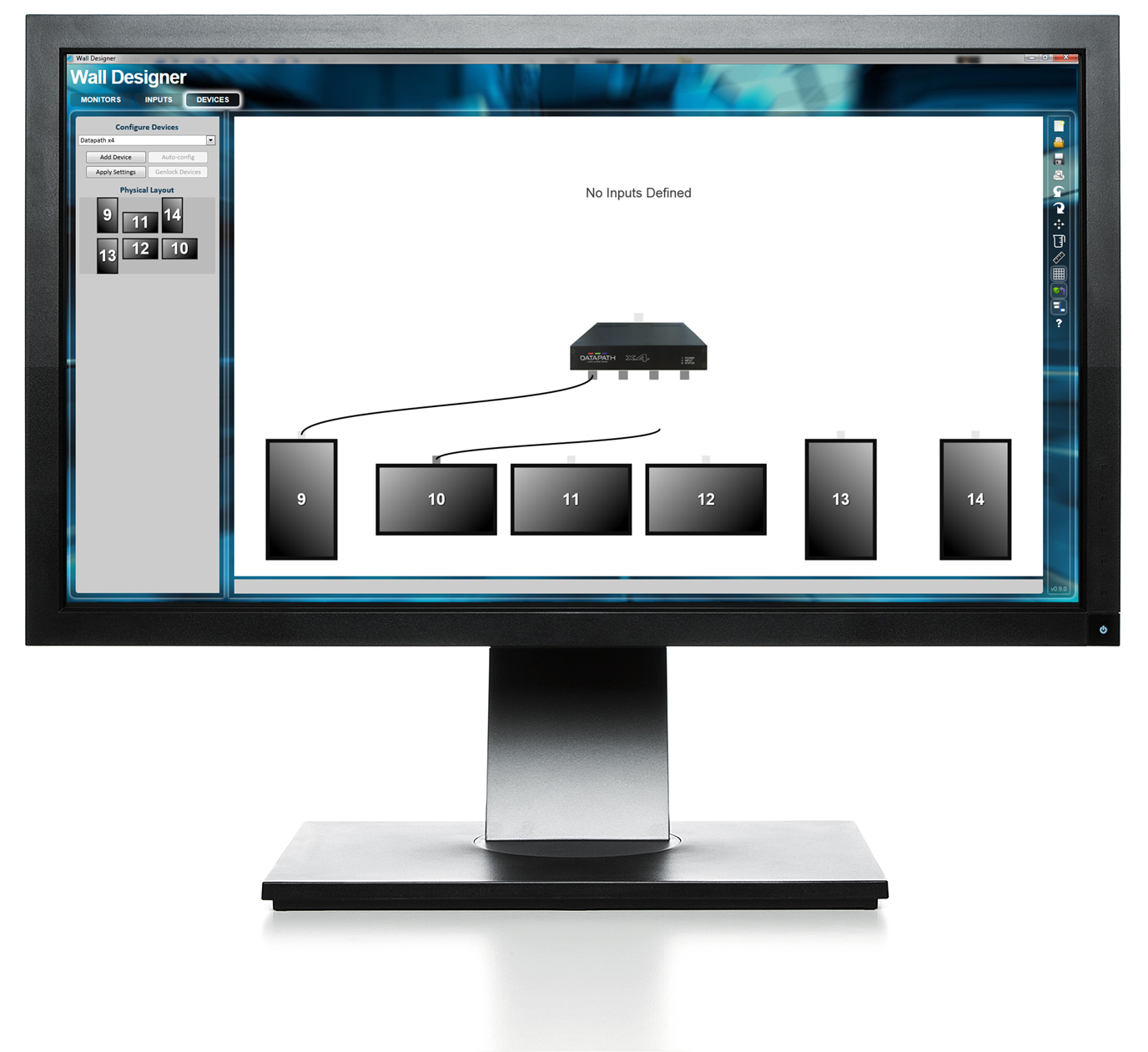
In three easy steps: select the desired monitor from Wall Designer's database (or add your own, mixing manufacturers freely), align and rotate each monitor to place it on the main canvas and adjust capture regions, then connect any number of multi-display controllers to your PC or laptop and Wall Designer automatically programmes them, with full monitor EDID management for timing adjustments. It supports resizing content symmetrically with a configurable border colour, downscaling and synchronising outputs across multiple LED controllers, and printing design schematics with useful measurements (in mm or inches) with display orientations, to aid installation.
Where This Product Fits
Wall Designer is the tool to reach for whenever a Xtreme-FX4, Xtreme-FX4SDI or Xtreme-HX4 standalone controller is going into a new layout — it removes the guesswork of matching monitor EDID, rotation and capture regions by hand, and the printable schematics double as installation documentation for the engineer on site. It doesn't apply to VSN chassis-based systems, which are configured through VigiControl instead.
Why Choose the Wall Designer?
- ✓Free download for Windows and Mac OS
- ✓Built-in monitor database, mix manufacturers freely
- ✓Automatic controller configuration and EDID management
- ✓Downscaling with configurable border colour
- ✓Printable design schematics in mm or inches
- ✓Compatible with the Xtreme-FX4, Xtreme-FX4SDI and Xtreme-HX4 range
The Wall Designer is backed by EMS's UK technical support and standard 3-year warranty (5-year extended available on most of the range) — get in touch if you're not sure it's the right fit and we'll help you spec it correctly the first time.
Full Specifications
| Platforms | Windows and Mac OS |
|---|---|
| Compatible Hardware | Xtreme-FX4, Xtreme-FX4SDI, Xtreme-HX4 multi-display controllers |
| Monitor Database | Built-in, expandable with custom entries |
| Output Tools | Downscaling, border colour, print schematics (mm/inches) |
| Licensing | Free download |
Datasheets & Software
Download the documentation below, or contact us for anything not yet listed.
Related Products
 SKU: VIGI-CTRL
VigiControl 10 — Standard
SKU: WALLCON10PRO
VigiControl 10 - Pro
Your Browsing History
No other products viewed yet this session.